Golf Simulator Projector Throw Distance Calculator: Master Flawless Setup
Key Takeaways: Calculating projector throw distance requires matching lens throw ratio to impact screen image width while maintaining the lens position in front of the hitting tee to eliminate body shadows. Standard 4:3 aspect ratio screens maximize vertical enclosure height in standard 9.5-foot garage ceilings.
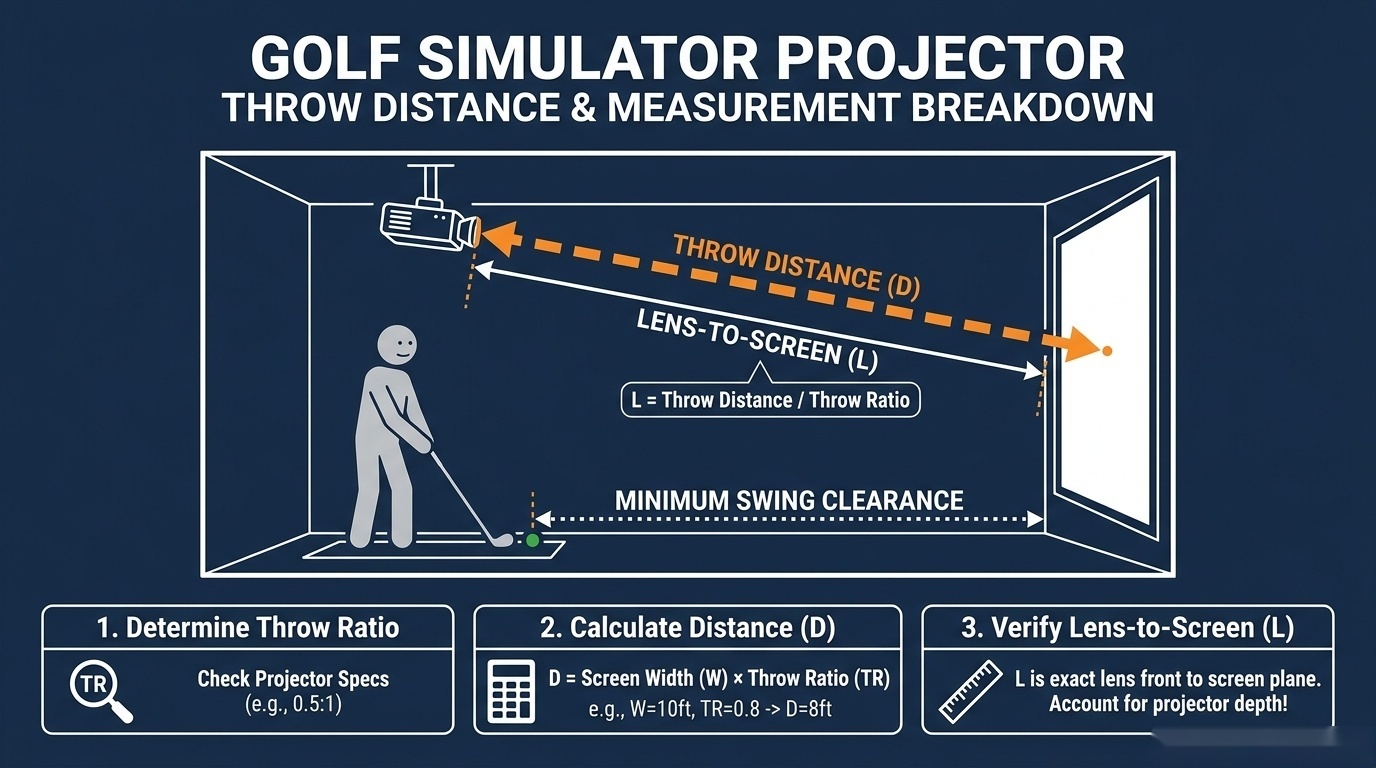
Short-Throw Lens Ratios and Shadow-Free Clearance
Home golf simulator builders frequently purchase standard-throw projectors that force mounting behind the golfer, casting body shadows across the impact screen. Short-throw optics with throw ratios between 0.49:1 and 0.69:1 allow ceiling mounting between 7 and 9 feet from the impact screen.
To calculate exact throw distance, multiply image width by projector throw ratio:
\[ \text{Throw Distance (Inches)} = \text{Screen Image Width (Inches)} \times \text{Throw Ratio} \]
For a 12-foot wide (144-inch) screen using a BenQ TH671ST short-throw projector set to its 0.69:1 zoom ratio:
\[ \text{Throw Distance} = 144 \text{ in} \times 0.69 = 99.36 \text{ in} (8.28 \text{ ft}) \]
Because the golfer stands at 10.0 feet from the impact screen, the projector mounts 1.72 feet in front of the player. This spatial relationship completely eliminates body shadows. Verify spatial benchmarks using our interactive golf simulator projector throw distance calculator.
Aspect Ratio Selection: 4:3 vs 16:9 Enclosure Fitting
Selecting between 4:3 and 16:9 aspect ratios depends on available room height and width. Standard residential garage ceilings measuring 9.5 feet (114 inches) restrict vertical enclosure height.
A 4:3 aspect ratio screen measuring 9 feet high requires 12 feet of width:
\[ \text{Width} = 108 \text{ in} \times 1.333 = 144 \text{ in} (12 \text{ ft}) \]
A 16:9 aspect ratio screen measuring 9 feet high requires 16 feet of horizontal width:
\[ \text{Width} = 108 \text{ in} \times 1.778 = 160 \text{ in} (13.33 \text{ ft}) \]
Refer to authoritative optical database specs at ProjectorCentral when comparing fixed versus zoom throw lenses.
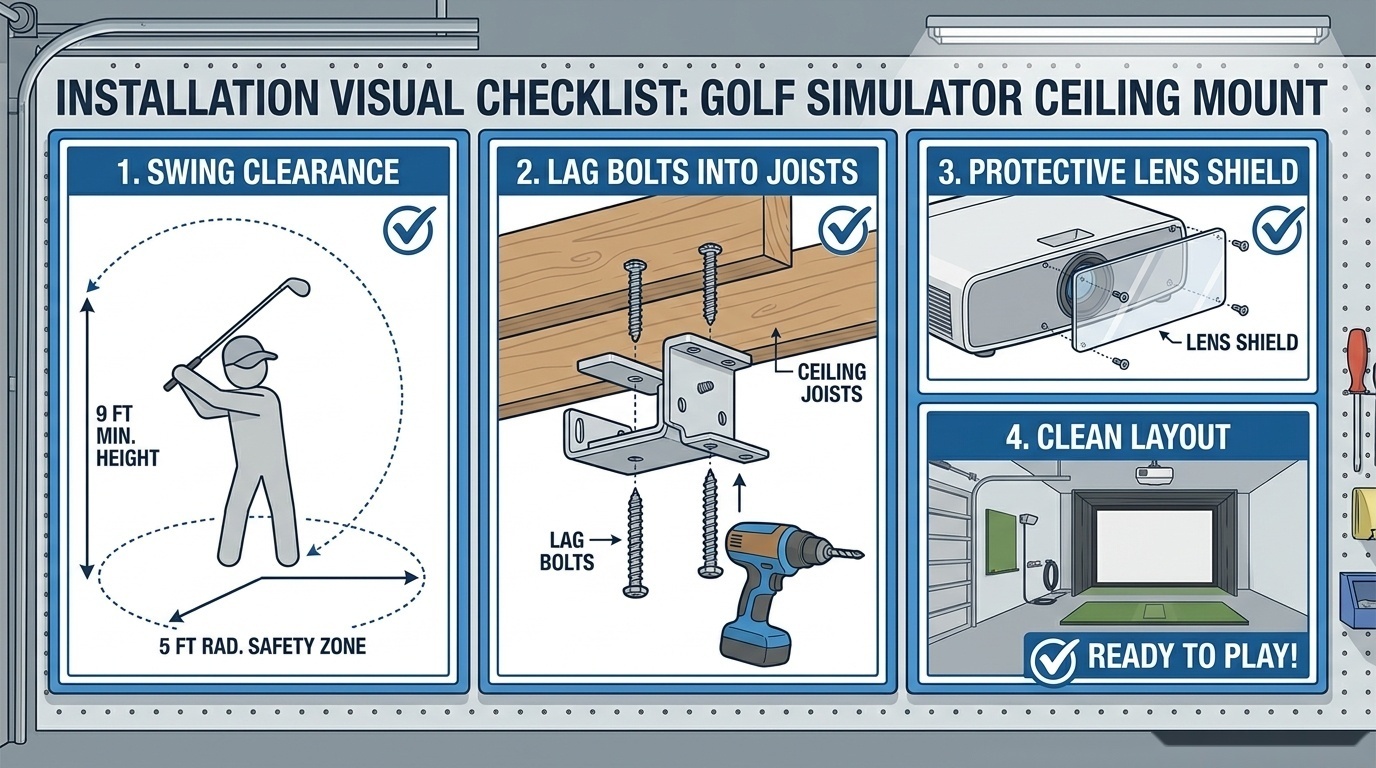
Garage Ceiling Mount Setup Checklist
- Verify Ceiling Joist Clearance: Ensure the drop pole mount attaches securely to structural joists with lag bolts.
- Measure Driver Swing Apex: Maintain at least 24 inches of clearance between the clubhead arc and the suspended projector housing.
- Configure Custom PC Resolutions: Set GPU display settings to native 4:3 resolutions (1600x1200 or 2048x1536) in GSPro settings.
- Install Lens Protection: Place a Lexan impact deflector in front of the lens if mounted within 8 feet of the impact screen.